
YouTube Tag Generator
YouTube Tag Generator – Create SEO-Optimized Tags to Boost Your Video Rankings
Getting views on YouTube is not just about creating good videos. Even high-quality videos can remain undiscovered if they are not properly optimized. One of the most important yet often overlooked parts of YouTube SEO is tags. Tags help YouTube understand your content and show it to the right audience. That is why using a YouTube Tag Generator can make a real difference in your video performance.
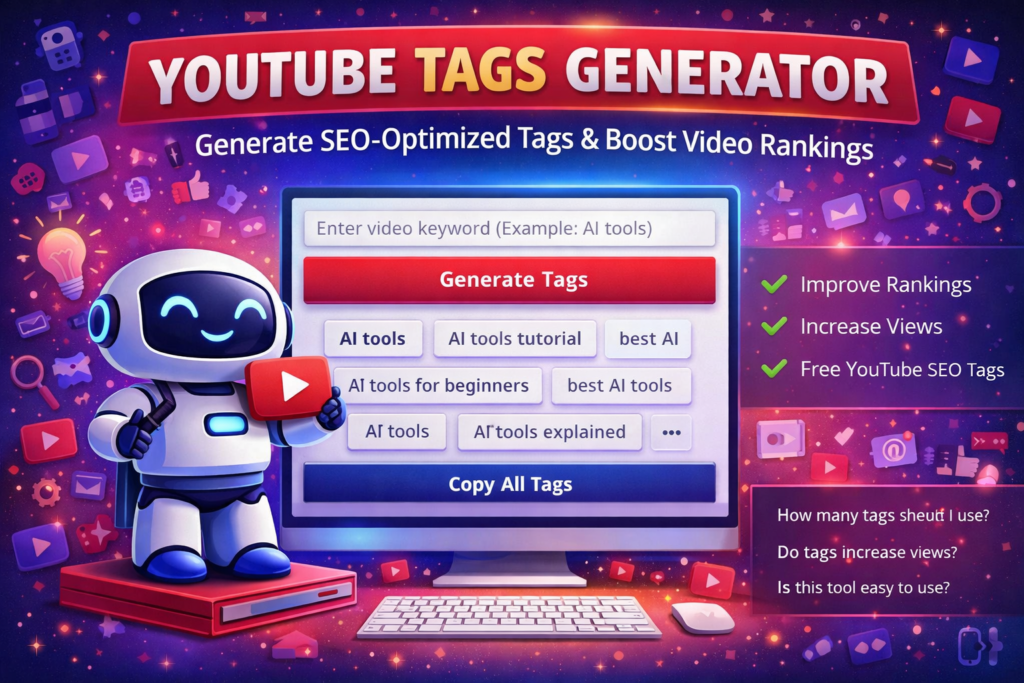
Our YouTube Tag Generator helps you create relevant, SEO-friendly tags instantly. Instead of guessing which tags to use, you can generate keyword-based tags that improve discoverability and help your videos reach more viewers.
What Are YouTube Tags?
YouTube tags are keywords that describe your video content. They help YouTube’s algorithm understand the topic, category, and context of your video. Tags also help connect your video with similar content and improve your chances of appearing in suggested videos.
For example, if your video is about AI tools, your tags might include:
- AI tools
- best AI tools
- AI tools tutorial
- AI software
- AI tools for beginners
These tags help YouTube show your video when users search for related topics.
Why YouTube Tags Are Important
While titles and descriptions are very important, tags still play a supporting role in YouTube SEO. They help YouTube confirm your video topic and improve your chances of ranking for related keywords.
Benefits of using proper tags include:
- Better search visibility
- Improved video ranking
- Higher discoverability
- Better suggested video placement
- More targeted viewers
- Improved channel growth potential
Tags work best when combined with a strong title, a good description, and quality content.
Features of This YouTube Tag Generator
This YouTube Tag Generator is designed to be simple, fast, and effective. It helps creators quickly find relevant tags without complicated research.
Key features include:
- Instant tag generation
- Keyword-based tag suggestions
- SEO-friendly tags
- Copy all tags option
- Unlimited usage
- Clean interface
- Fast processing
- Free access
Whether you are a beginner YouTuber or an experienced creator, this tool can help streamline your optimization process.
How to Use the YouTube Tag Generator
Using this tool is extremely simple:
Step 1: Enter your video keyword or topic
Step 2: Click the generate button
Step 3: Review the generated tags
Step 4: Copy the tags you want
Step 5: Paste them into your YouTube video tag section
You can repeat the process with different keywords to find more tag variations.
Best Practices for YouTube Tags
To get the best results, follow these best practices:
Use your main keyword first
Always include your main keyword as your first tag.
Add keyword variations
Include similar phrases and alternative keyword versions.
Use long-tail keywords
Example:
Instead of only “SEO”, use “SEO tutorial for beginners”.
Avoid irrelevant tags
Do not add unrelated tags just to get views. This can hurt performance.
Use a mix of broad and specific tags
Example:
Broad: AI tools
Specific: AI tools for content creation
Keep tags relevant
Only use tags directly related to your content.
How Many Tags Should You Use?
YouTube allows up to 500 characters in tags. Most creators use between 10 and 20 tags. Quality matters more than quantity. It is better to use 15 relevant tags than 50 weak ones.
This YouTube Tag Generator helps you create focused tag lists quickly.
Who Should Use This Tool?
This tool is helpful for:
YouTubers
Improve video SEO and reach more viewers.
Content creators
Optimize videos for better discoverability.
Digital marketers
Improve video campaign performance.
Online teachers
Reach more students through search.
Businesses
Improve brand visibility through YouTube.
Beginners
Learn proper tagging practices easily.
Anyone uploading videos to YouTube can benefit from better tags.
Benefits of Using a YouTube Tag Generator
Instead of manually researching tags, this tool provides instant suggestions. Benefits include:
- Faster video optimization
- Better keyword ideas
- Improved SEO structure
- Time saving workflow
- Increased video reach potential
- Professional tag suggestions
Many successful YouTubers use keyword research tools to optimize videos. This generator makes the process easier.
Common YouTube Tag Mistakes to Avoid
Many creators make mistakes that reduce their visibility. Avoid these:
Using unrelated trending tags
This may confuse the algorithm.
Using too few tags
More relevant tags give better context.
Ignoring keyword research
Guessing tags is less effective.
Repeating the same tags
Use variations instead.
Using only broad tags
Specific tags often rank easier.
Do Tags Still Matter in YouTube SEO?
Some creators believe tags no longer matter. While YouTube has improved its algorithm, tags still help clarify video topics, especially for new channels.
Tags are most useful when:
- Your channel is new
- Your topic is competitive
- Your title is not very clear
- Your video covers multiple topics
Tags support your title and description rather than replace them.
Tips to Improve Video Ranking Beyond Tags
Tags are only one part of YouTube SEO. Combine them with these:
- Strong keyword title
- Detailed description
- Good thumbnail
- Viewer retention
- Watch time
- Engagement (likes and comments)
- Consistent uploads
Good SEO combined with good content produces the best results.
How Tags Help New YouTube Channels Grow
New creators often struggle with visibility. Tags can help YouTube categorize your content correctly so your videos reach the right viewers.
For example, if your channel focuses on AI tools, consistent tags around that topic help YouTube understand your niche.
Over time, this can help build topic authority.
Why Every Video Should Have Proper Tags
Every uploaded video should include tags because they provide extra information to YouTube. Even if they are not the most powerful ranking factor, they still contribute to optimization.
Professional creators rarely skip this step.
Final Thoughts
Growing on YouTube requires both creativity and optimization. While great content is essential, SEO practices like proper tagging help your videos reach their audience.
This YouTube Tag Generator makes it easier to find relevant tags quickly so you can focus on creating quality videos. By using better tags, you increase your chances of appearing in search results and recommended videos.
Try different keywords, test different tag combinations, and observe what works best for your channel. Over time, small SEO improvements can lead to significant growth.
Start using the YouTube Tag Generator now and make your videos easier to discover.
Frequently Asked Questions (FAQs)
What is a YouTube Tag Generator?
A YouTube Tag Generator is a tool that creates keyword tags based on your video topic to help improve YouTube SEO and discoverability.
Is this YouTube Tag Generator free?
Yes, this tool is completely free and allows unlimited tag generation.
How many tags should I use on YouTube?
Most creators use 10–20 relevant tags. Quality and relevance are more important than quantity.
Do YouTube tags help ranking?
Tags help YouTube understand your content and may improve discoverability when combined with strong titles and descriptions.
Can I copy all tags at once?
Yes, this tool allows you to copy all generated tags easily.
Can I use these tags for YouTube Shorts?
Yes, tags can be used for both regular videos and YouTube Shorts.
Should I use trending tags?
Only if they are relevant to your video. Irrelevant tags can harm performance.
Do I need SEO knowledge to use this tool?
No. This tool is beginner-friendly and easy to use.
Can tags increase video views?
Tags alone do not guarantee views, but they improve discoverability, which can help growth.
Should every video have tags?
Yes. Adding relevant tags is considered a basic YouTube SEO practice.