
Case Converter Tool
Case Converter Tool – Convert Text to Uppercase, Lowercase, Title Case, and More
Formatting text correctly is an important part of writing, editing, and content creation. Whether you are a student preparing assignments, a blogger editing articles, a developer formatting code, or a digital marketer preparing content, you often need to change text cases quickly. Doing this manually can be slow and frustrating. That is why a Case Converter Tool is extremely useful.
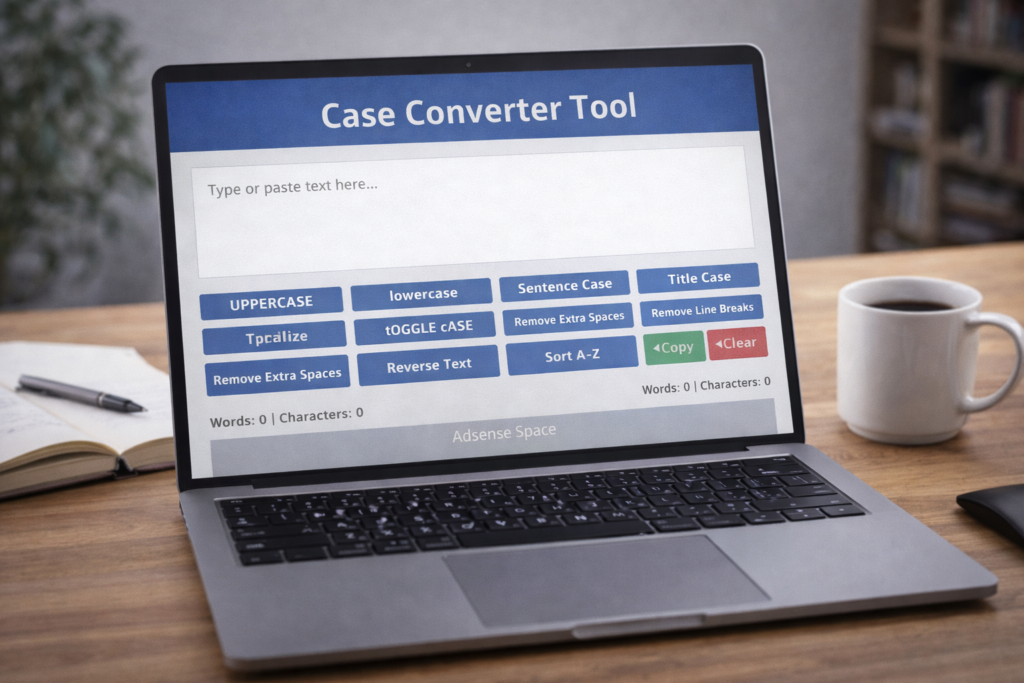
A Case Converter helps you instantly change text into uppercase, lowercase, title case, sentence case, and other formats with just one click. Instead of rewriting or retyping text, you can transform it instantly and save valuable time.
What is a Case Converter Tool?
A Case Converter Tool is a text formatting utility that changes the capitalization style of text without changing the actual content. It allows users to quickly transform text into different case styles depending on their needs.
For example:
Original text:
this is a sample text
Uppercase:
THIS IS A SAMPLE TEXT
Title Case:
This Is A Sample Text
Sentence case:
This is a sample text
These transformations help improve readability and formatting.
Why Case Conversion is Important
Text formatting plays an important role in readability and presentation. Incorrect capitalization can make content look unprofessional and harder to read.
Case conversion helps with:
- Improving readability
- Maintaining writing consistency
- Formatting titles correctly
- Preparing documents professionally
- Fixing accidental capitalization
- Improving presentation
A simple formatting change can make content look more polished.
Features of This Case Converter Tool
This tool includes multiple useful features to help users format text easily:
- Uppercase conversion
- Lowercase conversion
- Sentence case conversion
- Title case conversion
- Capitalize words option
- Toggle case function
- Remove extra spaces
- Remove line breaks
- Reverse text option
- Alphabetical text sorting
- Remove duplicate lines
- Word count display
- Character count display
- Copy text feature
- Clear text option
- Fast processing
- Free unlimited usage
These features make it more than just a simple case converter. It becomes a complete text formatting tool.
How to Use the Case Converter Tool
Using this tool is very simple:
Step 1: Paste your text into the input box
Step 2: Select the formatting option
Step 3: Click the desired conversion button
Step 4: Copy the formatted text
You can apply multiple formatting options if needed.
Who Should Use a Case Converter?
This tool is useful for many different users.
Students
Students can format assignments, essays, and notes quickly.
Bloggers
Bloggers can format headings and content titles properly.
Writers
Writers can maintain consistent formatting.
Developers
Programmers can format text for documentation.
Digital marketers
Marketers can format ad copy and headlines.
SEO professionals
SEO writers can properly format titles and content.
Anyone working with text can benefit from this tool.
Benefits of Using a Case Converter Tool
Using a Case Converter provides several advantages:
- Saves editing time
- Improves content presentation
- Reduces manual errors
- Makes text more professional
- Improves writing efficiency
- Simplifies text formatting
Instead of manually editing text, you can make changes instantly.
Understanding Different Case Types
This tool supports several case formats. Understanding them helps you choose the right one.
Uppercase
Converts all letters to capital letters.
Example:
HELLO WORLD
Used for:
Headings and emphasis.
Lowercase
Converts all letters to small letters.
Example:
hello world
Used for:
Normal text formatting.
Sentence Case
Capitalizes the first letter of the sentence.
Example:
Hello world
Used for:
Standard writing format.
Title Case
Capitalizes the first letter of each word.
Example:
Hello World
Used for:
Headlines and titles.
Toggle Case
Switches uppercase letters to lowercase and vice versa.
Example:
hELLO wORLD
Used for:
Correcting typing mistakes.
Additional Advanced Features Explained
This ULTRA Case Converter includes extra utilities that make it more powerful.
Remove Extra Spaces
Removes unnecessary spacing.
Example:
Hello World → Hello World
Remove Line Breaks
Converts multiple lines into a single line.
Reverse Text
Reverses characters in text.
Example:
Hello → olleH
Sort Text
Arranges lines alphabetically.
Remove Duplicate Lines
Removes repeated lines from text.
These features make this tool more useful than basic converters.
How Case Conversion Improves Content Quality
Well-formatted text improves user experience. Readers prefer content that is easy to scan and visually organized.
Proper formatting helps:
- Improve readability
- Improve engagement
- Improve professional appearance
- Improve content clarity
Formatting is a small change that makes a big difference.
Why Writers Use Case Converters
Professional writers often use case converters to speed up editing.
Common uses include:
- Fixing accidental capitalization
- Formatting article titles
- Preparing structured content
- Improving readability
- Preparing reports
These tools improve workflow efficiency.
How Case Converters Help SEO Content
SEO content often requires properly formatted headings and titles. Case conversion helps writers quickly adjust formatting.
Example:
Incorrect:
best seo tools for beginners
Correct:
Best SEO Tools for Beginners
This improves presentation and professionalism.
Common Formatting Mistakes This Tool Helps Fix
Many users accidentally:
- Type in CAPS LOCK
- Use inconsistent capitalization
- Add extra spaces
- Add duplicate text
- Forget proper title formatting
This tool fixes these problems quickly.
Why Text Formatting Matters in Digital Content
In digital writing, presentation matters as much as content. Proper formatting improves trust and readability.
Poor formatting may:
- Reduce readability
- Look unprofessional
- Reduce engagement
- Confuse readers
Good formatting improves user experience.
Best Practices When Using Case Conversion
Follow these tips:
- Use title case for headings
- Use sentence case for normal text
- Avoid excessive uppercase text
- Maintain consistency
- Review final formatting
These practices improve writing quality.
How Case Converter Tools Improve Productivity
Small tools like this save time when used regularly. Instead of fixing text manually, you can apply formatting instantly.
This helps:
- Reduce editing time
- Improve workflow speed
- Increase writing efficiency
- Improve consistency
Productivity tools often work through small improvements like these.
Why Every Writer Should Use a Case Converter
Professional writing involves frequent editing. Case converters simplify this process.
Benefits include:
- Faster editing
- Better formatting
- Fewer mistakes
- Better presentation
- Improved writing efficiency
This makes them essential writing utilities.
Real World Uses of Case Conversion
Common real-life uses include:
- Formatting blog titles
- Editing essays
- Preparing reports
- Formatting product names
- Creating headlines
- Cleaning copied text
These tools are useful across many writing tasks.
Final Thoughts
Text formatting may seem like a small detail, but it plays a big role in how content is presented. A Case Converter Tool helps you quickly format text into professional and readable formats without wasting time on manual editing.
Whether you are a student preparing assignments, a blogger formatting content, or a professional preparing documents, this tool can help improve your writing workflow. By using simple tools like this, you can focus more on your ideas and less on formatting issues.
Try different case formats and formatting options to see what works best for your content. Over time, small improvements in formatting can greatly improve writing quality.
Start using the Case Converter Tool now and make your text cleaner, more professional, and easier to read.
Frequently Asked Questions (FAQs)
What is a Case Converter Tool?
A Case Converter Tool is a utility that changes text capitalization formats such as uppercase, lowercase, and title case.
Is this Case Converter free?
Yes, this tool is completely free and allows unlimited usage.
Can I convert large text?
Yes. You can paste large amounts of text.
Does the tool change text meaning?
No. It only changes formatting.
Can students use this tool?
Yes. Students can format assignments and notes.
Can bloggers use this tool?
Yes. Bloggers can format titles and headings.
Does this tool remove extra spaces?
Yes. It includes a feature to remove unnecessary spaces.
Can I copy formatted text?
Yes. You can copy results instantly.
Do I need technical skills?
No. The tool is beginner-friendly.
Why should I use a Case Converter?
It saves time and improves text formatting quality.