
Paraphrasing Tool
Paraphrasing Tool – Rewrite Text Instantly with an Advanced AI Paraphraser
Writing unique and clear content is essential whether you are a student, blogger, researcher, or digital marketer. However, rewriting content manually can take a lot of time and effort. This is where a Paraphrasing Tool becomes extremely useful. Instead of spending hours rewriting sentences, you can transform your text into a new and improved version within seconds.
A paraphrasing tool helps you rewrite sentences while keeping the original meaning intact. It replaces words with suitable alternatives, improves sentence flow, and enhances readability. Whether you want to avoid duplication, improve clarity, or create better content, this tool can significantly improve your writing process.
What is a Paraphrasing Tool?
A Paraphrasing Tool is a writing assistant that rewrites text by changing words, phrases, and sentence structures without changing the meaning. It helps create a fresh version of existing content.
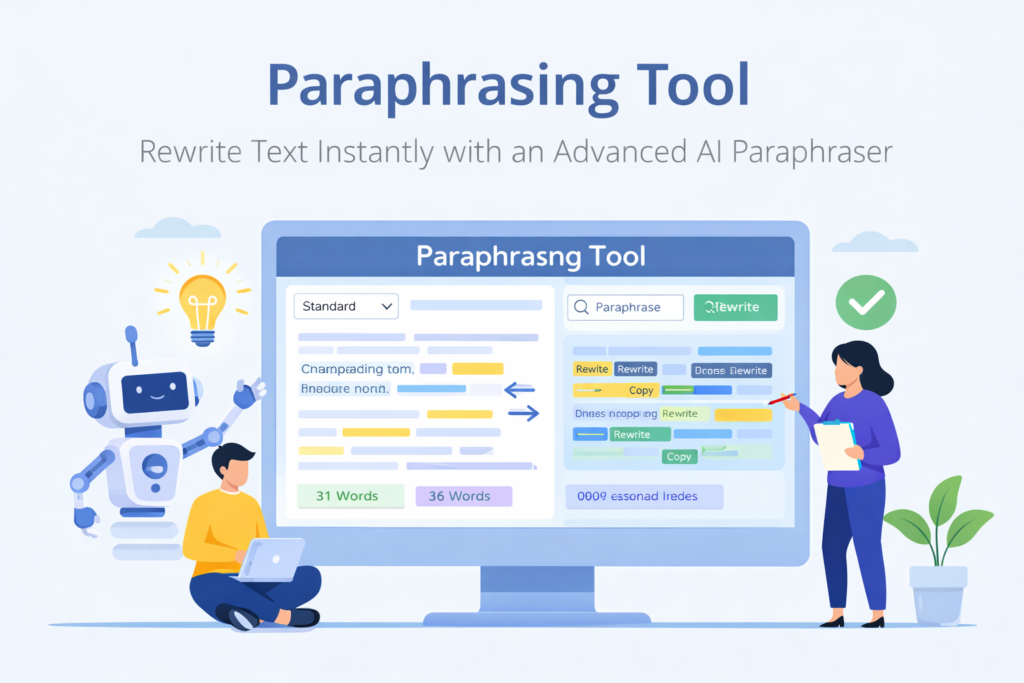
For example:
Original text:
Content marketing helps businesses grow online.
Paraphrased text:
Digital content strategies help companies expand their online presence.
The core meaning remains the same, but the wording becomes different and more refined.
Why Use a Paraphrasing Tool?
There are many situations where rewriting text is necessary. Writers often need to improve readability, avoid repetition, or create unique content versions.
Benefits of using a paraphrasing tool include:
- Save rewriting time
- Improve writing quality
- Avoid duplicate content
- Improve readability
- Create unique content
- Improve SEO writing
- Enhance vocabulary usage
Instead of rewriting manually, this tool helps you generate improved versions quickly.
Features of This Paraphrasing Tool
This paraphrasing tool includes useful features that make rewriting easy and effective:
- Instant text rewriting
- Multiple rewriting modes
- Synonym replacement
- Sentence restructuring
- Word count display
- Character count display
- Highlighted changes
- Copy rewritten text
- Rewrite again option
- Clean interface
- Fast processing
- Free unlimited use
These features help users generate better content faster.
How to Use the Paraphrasing Tool
Using this tool is simple:
Step 1: Paste your text
Step 2: Select rewrite mode
Step 3: Click paraphrase
Step 4: Review rewritten text
Step 5: Copy the result
You can repeat the process to generate different variations.
Who Should Use a Paraphrasing Tool?
This tool is useful for many types of users.
Students
Students can rewrite assignments and notes to improve clarity.
Bloggers
Bloggers can create unique articles from research material.
Content writers
Writers can improve readability and structure.
SEO professionals
SEO writers can create optimized content variations.
Digital marketers
Marketers can generate multiple versions of promotional content.
Researchers
Researchers can simplify complex material.
Anyone working with written content can benefit.
Benefits of Using a Paraphrasing Tool
Using a paraphraser provides several advantages:
- Faster content editing
- Improved writing structure
- Better readability
- Improved vocabulary
- More professional writing
- Reduced manual effort
- Increased productivity
This helps writers focus more on ideas rather than editing.
How Paraphrasing Helps SEO Content
Search engines prefer unique and readable content. Rewriting tools help improve both.
Paraphrasing helps SEO by:
- Improving content uniqueness
- Improving readability
- Reducing duplicate phrases
- Improving keyword structure
- Enhancing user engagement
Better content quality often leads to better performance.
Understanding Different Paraphrasing Modes
Many paraphrasing tools include different rewriting styles.
Standard mode
Balanced rewriting with natural changes.
Fluency mode
Improves grammar and readability.
Creative mode
Produces more unique variations.
Shorten mode
Reduces text length while keeping key ideas.
Different modes help users achieve different writing goals.
Difference Between Paraphrasing and Summarizing
These two terms are often confused.
Paraphrasing:
Rewriting text with different words but same meaning.
Summarizing:
Shortening text while keeping main ideas.
Example:
Original:
SEO tools help websites improve rankings.
Paraphrase:
SEO software helps websites improve search visibility.
Summary:
SEO tools improve rankings.
This tool focuses on paraphrasing rather than summarizing.
Common Uses of Paraphrasing Tools
Paraphrasing tools are commonly used for:
- Academic writing
- Blog writing
- SEO content creation
- Marketing content
- Research notes
- Email editing
- Website content improvement
This makes them versatile writing tools.
How Paraphrasing Improves Readability
Good writing should be clear and easy to understand. Paraphrasing tools help simplify complex sentences.
Example:
Complex:
Utilizing digital strategies can significantly enhance marketing performance.
Simplified:
Using digital strategies can greatly improve marketing results.
Clear writing improves reader engagement.
How Paraphrasing Helps Students
Students often need to rewrite study material into their own words. Paraphrasing tools can help them understand and restructure content.
Students can use this tool to:
- Rewrite notes
- Improve assignments
- Simplify study material
- Improve writing clarity
- Practice better writing
This makes study preparation easier.
How Writers Use Paraphrasing Tools
Professional writers often use paraphrasing tools during editing.
Writers use them to:
- Improve article flow
- Avoid repetition
- Improve structure
- Generate content variations
- Speed up editing
This improves productivity.
Common Mistakes to Avoid When Paraphrasing
Avoid these mistakes:
Changing the meaning
Always ensure meaning stays correct.
Over rewriting
Too many changes may reduce clarity.
Ignoring grammar
Always review the output.
Not proofreading
Always read final text before publishing.
AI tools assist writing but human review is still important.
Why Content Uniqueness Matters
Search engines value original content. Duplicate content may reduce visibility.
Paraphrasing helps:
- Improve originality
- Reduce duplication
- Improve readability
- Improve engagement
This supports better SEO performance.
Best Practices for Using a Paraphrasing Tool
Follow these tips:
- Always review rewritten text
- Maintain original meaning
- Use appropriate tone
- Edit manually if needed
- Focus on readability
- Use multiple rewrite attempts
This ensures better results.
How Paraphrasing Tools Improve Productivity
Manual rewriting takes time. Paraphrasing tools speed up the process.
Benefits include:
- Faster editing
- Better workflow
- Less manual effort
- Better writing quality
- Improved efficiency
Small productivity gains can make a big difference.
Why Every Content Creator Should Use a Paraphrasing Tool
Content creators constantly edit and refine writing. Paraphrasing tools simplify this process.
They help:
- Improve writing clarity
- Generate variations
- Improve structure
- Reduce repetition
- Improve productivity
These tools support better content creation workflows.
How Paraphrasing Helps Content Marketing
Content marketing often requires multiple versions of similar content. Paraphrasing helps create variations quickly.
Examples include:
- Social media posts
- Product descriptions
- Email campaigns
- Blog articles
This makes marketing workflows faster.
Final Thoughts
Writing high-quality content requires clarity, originality, and structure. A Paraphrasing Tool helps improve all these aspects by transforming text into clearer and more refined versions.
Whether you are a student improving assignments, a writer editing articles, or a marketer creating content, this tool can make your workflow faster and easier. By using rewriting tools wisely and reviewing results carefully, you can significantly improve writing quality.
Try paraphrasing different types of content and experiment with different rewriting styles. Over time, tools like this can help you write faster, improve content quality, and increase productivity.
Start using the Paraphrasing Tool today and make your writing clearer, more unique, and more professional.
Frequently Asked Questions (FAQs)
What is a Paraphrasing Tool?
A Paraphrasing Tool rewrites text while keeping the original meaning.
Is this Paraphrasing Tool free?
Yes, it is completely free.
Can this tool remove plagiarism?
Rewriting can help reduce duplication, but always review originality.
Does paraphrasing change meaning?
No. It keeps the main meaning intact.
Can students use this tool?
Yes. Students can improve assignments and notes.
Is this useful for bloggers?
Yes. Bloggers can improve readability and uniqueness.
Can I paraphrase large text?
Yes. You can paste large content.
Do I need writing skills?
No. The tool is beginner friendly.
Does paraphrasing help SEO?
Unique and readable content supports SEO.
Should I review paraphrased text?
Yes. Always review before publishing.