

Merge multiple PDF files into one online free. Let’s read. The Complete Step-by-Step Guide to the Best Free PDF Merger Tools
Whether you are a student assembling research papers, a professional compiling reports, or anyone who regularly works with documents, knowing how to merge multiple PDF files into one online for free is an essential skill. Instead of emailing five separate attachments or juggling dozens of files, a single merged PDF keeps everything clean, professional, and easy to share.
The good news is that you do not need to purchase expensive software like Adobe Acrobat to combine PDF files. In 2025, numerous powerful, completely free online tools let you merge PDFs in seconds — directly from your browser, with no installation required.
This guide covers everything you need to know: the best free PDF merger tools available today, a step-by-step walkthrough, expert tips for getting the best results, and answers to the most frequently asked questions.
Quick Answer: To merge multiple PDF files into one online for free, go to a tool like Smallpdf, iLovePDF, or PDF2Go. Upload your files, arrange them in the desired order, click Merge, and download your combined PDF — all in under 60 seconds, completely free.
Why You Should Merge PDF Files Into One Document
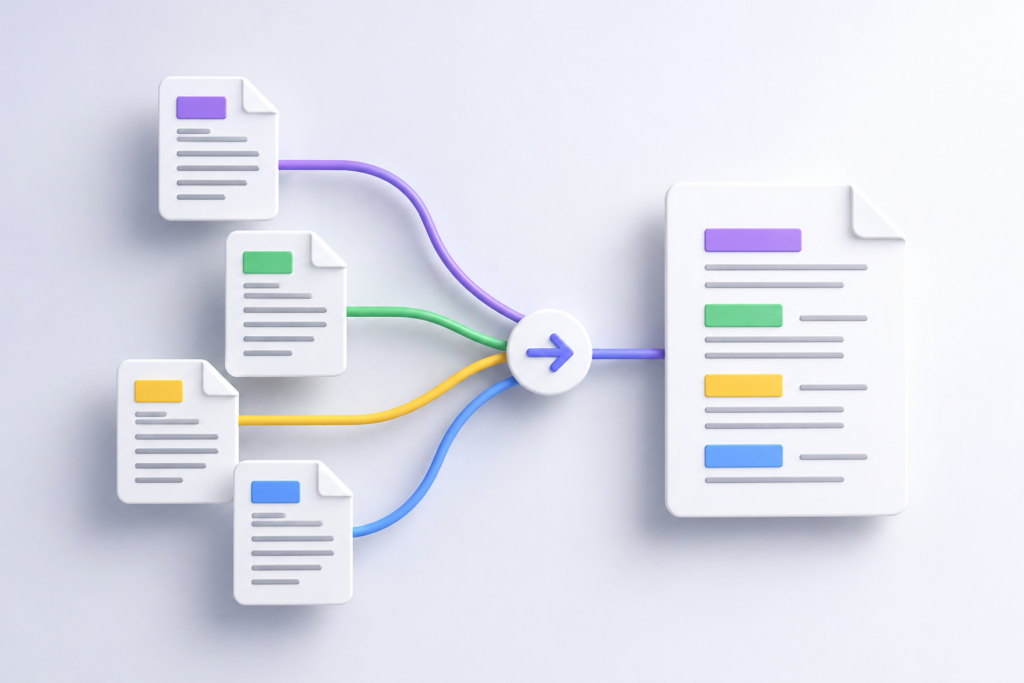
Combining multiple PDF files into a single document offers significant practical advantages across virtually every use case. Here is why it matters:
- Professionalism: Submitting a single, unified document looks far more polished than sending multiple attachments. Employers, clients, and professors notice the difference.
- Easier Sharing: One file means one link, one email attachment, and one download. This dramatically reduces confusion and the chance that recipients miss a file.
- Better Organization: A merged PDF keeps related content together in logical order, making it simpler to navigate, archive, and search.
- Reduced File Management: Instead of tracking dozens of PDFs across your desktop or cloud storage, a single merged file cuts clutter instantly.
- Consistent Formatting: Merging ensures all pages share the same document structure, which matters for legal submissions, academic portfolios, and business proposals. merge multiple PDF files into one online free
Top 7 Free Online Tools to Merge Multiple PDF Files Into One
Not all free PDF merger tools are created equal. Below is a carefully researched comparison of the seven best free options available in 2025, evaluated on ease of use, file size limits, speed, and privacy features.
| Tool | File Size Limit | Files per Merge | Best For |
| Smallpdf | Up to 5 GB | Unlimited | Everyday users, beginners |
| ILovePDF | Up to 100 MB (free) | Up to 25 files | Bulk merging, students |
| PDF2Go | Up to 50 MB | Unlimited | Privacy-conscious users |
| Sejda PDF | Up to 50 MB / 200 pages | Up to 3 tasks/hour | Quick occasional merges |
| Adobe Acrobat Online | Up to 100 MB | 2 files (free tier) | Adobe ecosystem users |
| PDF Merge (pdfmerge.com) | Unlimited | Up to 20 files | Simple, fast, no signup |
| Google Drive | Up to 15 GB | Unlimited | Google Workspace users |
1. Smallpdf — Best Overall Free PDF Merger
Smallpdf is widely regarded as the most user-friendly PDF tool on the market. Its drag-and-drop interface requires no technical knowledge whatsoever. The free plan allows you to merge PDFs online with files up to 5 GB, making it ideal for large documents such as architectural drawings, portfolios, or scanned books. Smallpdf also processes files on secure servers and automatically deletes uploads after one hour, which is a meaningful privacy advantage.
2. ILovePDF — Best for Batch Merging
ILovePDF is the go-to solution when you need to merge multiple PDF files into one in large batches. The platform supports up to 25 files per merge on its free tier and includes a clean, intuitive interface that clearly shows the page order before you finalize. It also offers additional free tools such as PDF splitting, compression, and conversion, making it a versatile all-in-one PDF toolkit. merge multiple PDF files into one online free
3. PDF2Go — Best for Privacy
PDF2Go stands out for users who prioritize data security. All uploaded files are encrypted during transfer and are automatically deleted from their servers after a short processing window. The tool supports merging PDFs online free with no account required, and its straightforward interface works flawlessly on mobile devices as well as desktop browsers.
4. Sejda PDF — Best for Occasional Use
Sejda PDF offers a generous free tier that allows up to three tasks per hour, making it perfectly suited for users who need to combine PDF files free on an occasional basis. Its interface is clean and distraction-free, and it supports reordering pages by drag-and-drop before merging — a feature that not every free tool includes.
How to Merge Multiple PDF Files Into One Online Free — Step-by-Step
The following universal process applies to virtually every free PDF merger tool listed above. We will use iLovePDF as the example, but the steps are nearly identical across all platforms.
Step 1: Open Your Chosen PDF Merger Tool
Navigate to your preferred free PDF merger website in any browser — Chrome, Firefox, Safari, or Edge. No app download or account registration is required for basic merging on most platforms.
Step 2: Upload Your PDF Files
Click the Select PDF files button or simply drag and drop your files directly onto the upload area. You can typically select multiple files at once by holding Ctrl (Windows) or Command (Mac) while clicking in your file browser. Most tools also support uploading from Google Drive or Dropbox if your files are stored in the cloud.
Step 3: Arrange Files in the Correct Order
Once uploaded, your files will appear as thumbnails. This is the critical step: drag and drop the thumbnails to arrange your PDFs in the exact order you want them to appear in the final merged document. Take your time here — getting the order right before merging saves you from having to repeat the process. merge multiple PDF files into one online free
Step 4: Click Merge PDF
When you are satisfied with the order, click the Merge PDF button. The tool will process your files on its servers, typically taking between 5 and 30 seconds depending on file size and the number of documents.
Step 5: Download Your Merged PDF
Once processing is complete, a download button will appear. Click Download to save your new merged PDF file to your device. Your combined document will contain all pages from all uploaded files, in the exact order you specified.
Pro Tip: Check Page Order Before Downloading After downloading, open your merged PDF and quickly scroll through the first page of each section to confirm everything merged correctly. It takes 30 seconds and saves you the frustration of discovering an error after you have already shared the file.
Expert Tips for Merging PDF Files Like a Pro
Getting a clean, professional result when you combine PDF files free goes beyond simply clicking Merge. These expert tips will help you achieve the best possible output every time.
- Compress first, merge second: If your individual PDF files are very large, consider compressing them using a free tool like Smallpdf’s compressor before merging. This results in a smaller, faster-loading final document without visible quality loss.
- Standardize page orientation: Before merging, make sure all your PDFs share the same page orientation (all portrait or all landscape). Mixing orientations in a single document creates an unprofessional result that is awkward to read and print. merge multiple PDF files into one online free
- Name your files strategically: If you are uploading many files, name them with a number prefix (01_intro.pdf, 02_chapter.pdf) before uploading. This makes sorting and reordering significantly easier inside the tool.
- Use cloud storage for large batches: When merging more than 10 files, upload them to Google Drive first and use a tool that supports direct Drive integration. This avoids slow browser uploads and reduces the chance of connection errors.
- Verify the output file size: A merged PDF that seems unusually large may contain embedded redundant data. Run it through a free PDF compressor after merging to reduce the file size by up to 80% without any visible quality difference.
- Is It Safe to Merge PDF Files Online for Free?
- This is one of the most common concerns people have when using free online PDF tools, and it is a reasonable question. The honest answer depends on the tool you choose and the sensitivity of your documents. merge multiple PDF files into one online free
- Reputable services like Smallpdf, ILovePDF, and PDF2Go use HTTPS encryption during upload and transfer, and they automatically delete your files from their servers within a short time window — usually between one hour and 24 hours. For everyday documents such as resumes, school assignments, or general business reports, these tools are entirely safe to use.
- However, if your PDFs contain highly sensitive information — such as medical records, legal contracts, financial statements, or confidential business data — you should either use a self-hosted solution, use Adobe Acrobat desktop software, or carefully review the privacy policy of the tool before uploading.
Privacy Rule of Thumb If you would not feel comfortable emailing the document to a stranger, do not upload it to a free online service. For sensitive documents, use offline tools like Adobe Acrobat, Preview on Mac, or the free open-source tool PDF Arranger on Windows and Linux.
Frequently Asked Questions
Can I merge PDF files online for free without creating an account?
Yes. The majority of free PDF merger tools — including ILovePDF, PDF2Go, Sejda, and PDF Merge — allow you to combine PDFs without registering or creating an account. Simply visit the website, upload your files, and download the result.
How many PDF files can I merge at once for free?
It depends on the tool. ILovePDF allows up to 25 files per merge on the free plan, while PDF Merge supports up to 20 files and Smallpdf technically supports unlimited files. For most users, these limits are more than sufficient. merge multiple PDF files into one online free
Will merging PDFs reduce the quality of my documents?
No. Merging PDFs is a lossless operation — it combines the files without re-rendering, compressing, or altering any content. Images, fonts, and formatting remain exactly as they were in the original files.
Can I merge PDFs on my phone for free?
Yes. All of the tools listed above work in mobile browsers on both Android and iOS. ILovePDF and Smallpdf also offer dedicated mobile apps for an even smoother experience on smartphones and tablets.
What is the fastest way to merge PDF files for free?
The fastest method is to use PDF Merge (pdfmerge.com) or Sejda PDF — both offer an extremely streamlined interface where you can upload, merge, and download in under 30 seconds. For large batches, ILovePDF is the fastest full-featured option.
Conclusion
Merging multiple PDF files into one online for free has never been easier. With powerful tools like Smallpdf, iLovePDF, PDF2Go, and Sejda PDF available directly in your browser at no cost, there is simply no reason to struggle with separate PDF attachments or pay for expensive desktop software. merge multiple PDF files into one online free
The key is choosing the right tool for your specific needs: Smallpdf for large files and everyday use, ILovePDF for batch merging, PDF2Go for privacy-sensitive documents, and Sejda for quick, occasional merges. Whichever you choose, the process takes under a minute and produces a clean, professional combined PDF every time. merge multiple PDF files into one online free